Quick answer
Choose Adobe Acrobat when PDF editing, conversion, redaction and signatures belong in the same daily workflow. Choose DocuSign when advanced agreement routing, signature-first integrations and enterprise process depth are more important. For simple document requests without either large ecosystem, SignQuick keeps the workflow smaller.
DocuSign vs Adobe Acrobat at a glance
US list prices shown for annual contracts billed monthly, before tax, promotions and add-ons. Adobe's enterprise Acrobat Sign Solutions and customized DocuSign plans require sales quotes, so confirm plan-level limits before purchasing.
| Category | DocuSign | Adobe Acrobat |
|---|---|---|
| Individual entry price | Personal: $10/month annually | Acrobat Standard: $12.99/month annually; Acrobat Pro: $19.99/month annually |
| Team entry price | Standard: $25/user/month annually | Acrobat Standard for teams: $14.99/license/month annually |
| Advanced team plan | Business Pro: $40/user/month annually | Acrobat Pro for teams: $23.99/license/month annually |
| PDF editing | Agreement preparation and fields, not a full desktop PDF editor | Core strength: create, edit, convert, redact and organize PDFs |
| eSignature packaging | Self-service eSignature tiers plus enterprise agreements | Acrobat plans include eSign tools; Acrobat Sign Solutions is sales-led |
| Integrations and API | Broad agreement integrations and APIs | Microsoft, Google, Box and other integrations; Sign Solutions adds APIs and enterprise workflow tools |
| Best fit | Signature-first agreement workflows | Teams that edit PDFs and collect signatures in the Adobe ecosystem |
What the plans cost in real buying scenarios
Monthly list prices hide the two variables that usually decide the purchase: how many people need sender accounts and how many agreements each person can send. These examples use annual billing before tax and optional add-ons.
Solo user
DocuSign costs less for signature-only needs; Adobe Pro bundles a full PDF editor.
DocuSign: $120/year for Personal, with five envelopes/month.
Adobe Acrobat: $239.88/year for Acrobat Pro, combining advanced PDF tools and eSignatures.
Three users, basic team plans
Adobe has the lower list price, but the included eSignature workflows are not identical.
DocuSign: $900/year for DocuSign Standard.
Adobe Acrobat: $539.64/year for Acrobat Standard for teams.
Three users, advanced self-service plans
Adobe remains cheaper and adds PDF editing; DocuSign focuses more deeply on agreement execution.
DocuSign: $1,440/year for DocuSign Business Pro.
Adobe Acrobat: $863.64/year for Acrobat Pro for teams.
Adobe Acrobat Sign pricing is really two buying paths
Adobe makes this comparison less straightforward because eSignature features appear in Acrobat subscriptions as well as the enterprise Acrobat Sign Solutions product. Acrobat Standard and Pro include tools to request signatures, while Sign Solutions adds more advanced workflow, integration and administrative capabilities through a sales-led purchase.
DocuSign presents clearer self-service signature tiers: Personal, Standard and Business Pro. Enterprise organizations can also request customized plans, but a small team can see the principal sending allowance and workflow features before talking to sales.
For a fair quote, write down whether you need PDF editing, reusable web forms, bulk send, advanced authentication, API access or centralized administration. An Acrobat license may be excellent value when employees already need PDF tools. It is not automatically equivalent to a full Acrobat Sign Solutions deployment.
- Compare DocuSign self-service plans with Acrobat team plans for smaller, standard workflows.
- Compare enterprise DocuSign with Acrobat Sign Solutions when APIs, SSO or advanced administration are mandatory.
- Confirm regional prices and transaction limits in writing because Adobe packaging can vary by market and channel.
Adobe wins when PDF editing is part of the job
Acrobat Pro is more than an eSignature subscription. It can edit text and images in PDFs, convert office files, compare versions, redact sensitive content, run OCR and organize pages. Legal, finance and operations teams that perform those tasks every day may avoid buying a separate PDF editor.
DocuSign prepares existing documents for agreement workflows: add fields, define recipients, set routing and collect evidence. It is not intended to replace a full PDF production application. If staff frequently correct source documents after upload, keeping editing and signing in Adobe can reduce handoffs.
Do not pay for advanced PDF capabilities that nobody uses. A team whose files come from standardized templates or another system may get more value from a signature-focused platform. During evaluation, record how often users leave the signing product to fix, convert or redact a file.
Agreement workflow, integrations and automation
DocuSign has built its reputation around moving agreements through recipients, approvals and connected business systems. Standard and Business Pro add collaborative, payment, web-form and bulk-send capabilities, while enterprise packages expand authentication, administration and integration options.
Adobe is particularly attractive in Microsoft-heavy environments and organizations already standardized on Acrobat. Acrobat Sign Solutions supports APIs and prebuilt integrations, but exact functionality belongs in the enterprise quote. Buyers should test the specific action they need, such as generating an agreement from CRM data or storing a completed PDF in the correct record.
Automation can change both price and risk. API requests, webhook retries, service accounts and sandbox access may follow different terms than ordinary web-app sends. Include the technical team in vendor demos and ask for rate limits, authentication methods, audit logging and failure behavior before signing a contract.
Security, identity and compliance requirements
Adobe and DocuSign both serve large organizations and publish extensive trust and compliance material. Each can support stronger authentication and certificate-based signature scenarios through the appropriate products, regions and partners. The relevant question is whether the exact plan being quoted includes the control your transaction requires.
Start with transaction risk. A routine NDA may only require a standard eSignature with clear consent and an audit trail. A regulated filing or cross-border transaction may require verified identity, a qualified trust service, particular data residency or a named retention period. Product-family claims should never substitute for a plan-level review.
Security review should also cover everyday administration: SSO availability, role separation, account deprovisioning, audit exports, data deletion and support access. Ask both vendors to demonstrate the controls in the proposed tier and attach the answers to the procurement record.
A simpler third option
Where SignQuick fits
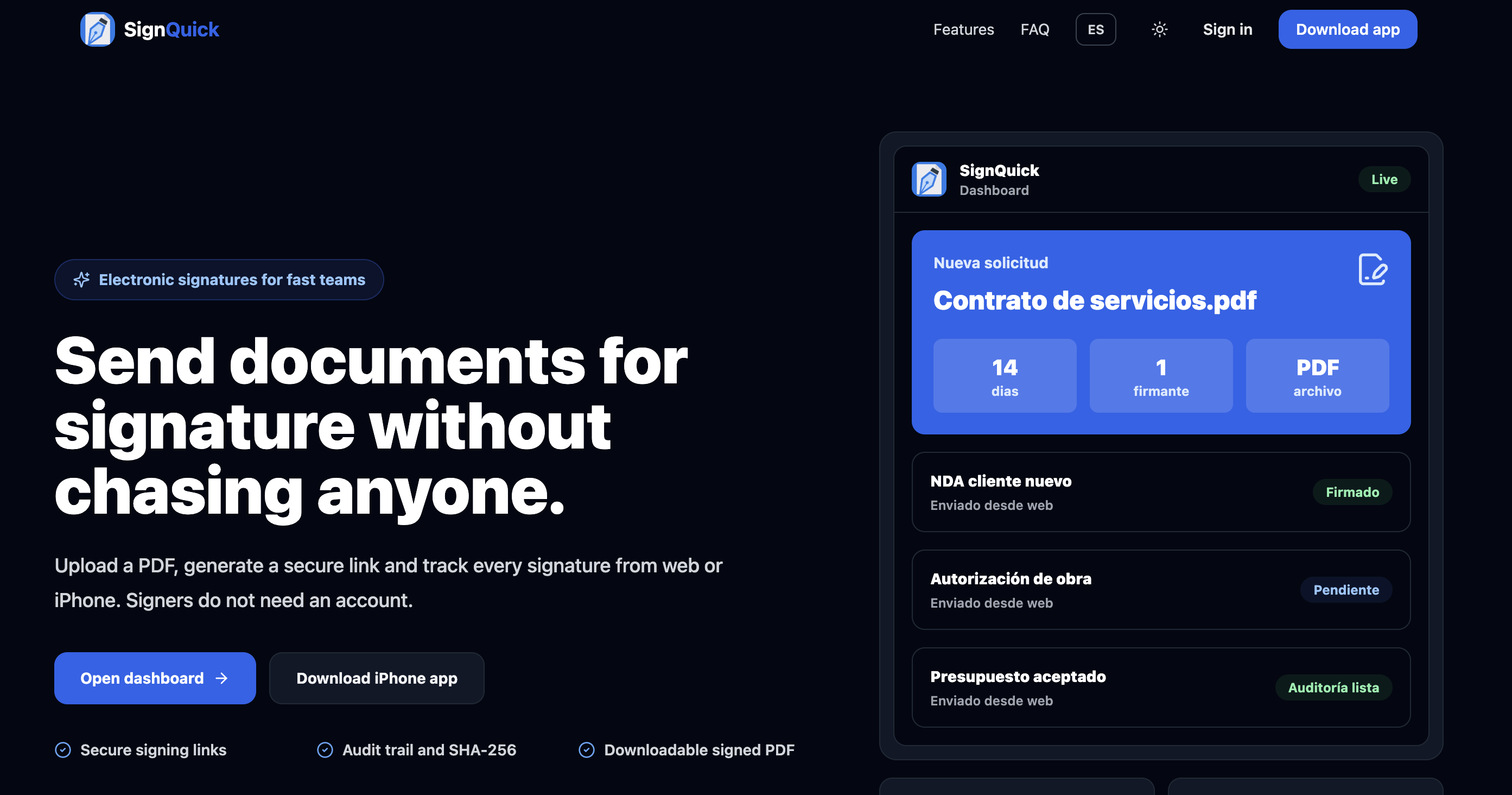
SignQuick is the focused option when a freelancer or small business already has a finished document. A single Pro subscription from $9.99/month unlocks unlimited sends, the recipient signs in a browser without an account, and senders can track work from iPhone or the web dashboard. Completed workflows retain timestamps, IP and user-agent data, and a SHA-256 document hash.
SignQuick is not positioned as a replacement for enterprise SSO, qualified signatures, complex CRM automation or contract lifecycle management. It is designed for the shorter path: upload, send a secure signing link, track the result and retain a technical audit trail.
Try SignQuick freeWhich one should you choose?
Choose DocuSign
Best for signature-first teams that need mature recipient routing, broad agreement integrations and room to expand into enterprise controls.
Choose Adobe Acrobat
Best for teams that edit, convert, redact and organize PDFs as often as they request signatures, especially in an existing Adobe environment.
Choose SignQuick
Best for simple requests where the document is already prepared and the goal is to send a browser link, track completion and retain technical evidence.
Request enterprise quotes
Best when API access, SSO, advanced identity, data residency or high transaction volume is required. Compare written scopes, not product-family names.
Frequently asked questions
Is Adobe Acrobat Sign cheaper than DocuSign?
Adobe Acrobat team plans have lower published list prices than comparable DocuSign self-service tiers, and they include PDF tools. However, advanced Acrobat Sign Solutions pricing is customized, and eSignature allowances and capabilities are not identical.
What is the difference between Adobe Acrobat and Acrobat Sign Solutions?
Acrobat Standard and Pro are PDF productivity subscriptions that include signature-request features. Acrobat Sign Solutions is Adobe's sales-led eSignature offering for more advanced workflows, integrations, APIs and enterprise administration.
Is DocuSign better than Adobe for electronic signatures?
DocuSign is often the stronger signature-first choice because its packaging and ecosystem focus on agreement workflows. Adobe can be the better overall purchase when employees also need robust PDF editing or the organization already uses Adobe and Microsoft tools.
Can Adobe Acrobat Pro replace DocuSign?
It can replace DocuSign for many straightforward signature requests. It may not replace a deployment that depends on specialized routing, envelope volume, identity verification, CRM automation or enterprise DocuSign controls without moving to Acrobat Sign Solutions.
Do signers need Adobe or DocuSign accounts?
Recipients generally can complete a normal request in the browser without buying an account. Senders may require additional authentication, and employees preparing requests usually need licensed seats.
Research sources
Product packaging changes frequently. Pricing and feature claims in this comparison were checked against the providers' own pages on July 15, 2026.